Paper Blog: Write Simply, Blog Cleanly
2026-08-29
Introducing Paper Blog
Paper Blog is a minimalist, macOS-first Markdown Static Site Generator (SSG) and CLI blogging suite built with pure Python.
Rooted in the philosophy of "Write simple words, make clean blogs", Paper streamlines the authoring journey from draft inception to local preview and GitHub Pages deployment into a unified, zero-configuration terminal workflow. It requires no Node.js, npm, or frontend build toolchain—bringing focus back to pure writing.
1. Homepage Index (index.md) vs. Regular Posts
In Paper Blog, index.md is treated differently from standard blog entries:
- Hero & Bio Section: Instead of appearing as an item in the post feed,
index.mdserves as the site's landing header, parsed directly above the Writing archive. - Branding & Socials: It provides a space for author introductions, avatars, personal links, and Obsidian image embeds (e.g.
![[paper-blog-icon.png|72|left]]).
2. Documentation & System Design (README.md)
The project's README.md defines the system architecture, operational safety, and developer interfaces:
- Zero-Dependency Runtime: Packaged via Homebrew (
brew install ohmyangboy/tap/paper), running on Python 3.11+ without Node.js overhead. - Dual Operating Modes:
- Global Mode (
~/.paper/): Write anywhere from your terminal. - Local Project Mode (
-l): Manage the blog as an isolated Git repo with.paper-config.json.
- Global Mode (
- Manuscript Safety: Static build outputs and deployments are isolated; raw Markdown source files are never altered or deleted during updates or uninstallations.
3. Feature & Architecture Matrix
| Module / Layer | Status / Icon | Role & Capabilities | Key Command / Path |
|---|---|---|---|
| Hero Header | ![[icon|72]]<br>🏠 Landing Bio |
index.md Architecture<br>Top-level personal introduction and site banner displayed above the post list. |
posts/index.md |
| Documentation | 📖 User Manual | README.md Specification<br>Installation guide, configuration keys, theme palette, and CLI command reference. |
README.md |
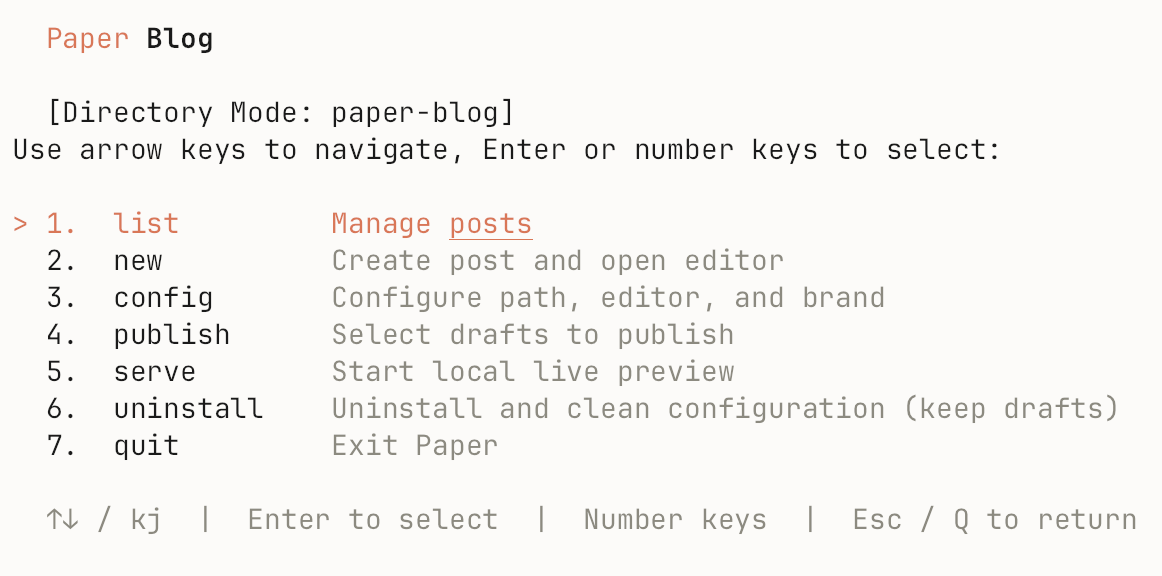
| Interactive TUI | 🟢 Published<br>⚪ Draft | Post Control Center<br>Terminal dashboard navigated with arrow keys to manage publication state and drafts. | paper / paper list |
| Draft Authoring | ✍️ Editor Hook | Frictionless Creation<br>Scaffolds frontmatter metadata and immediately launches your configured editor (VS Code, Obsidian, Typora, Markra). | paper new "Title" |
| Hot Reloading | ⚡ Live Watcher | Local Preview Server<br>Built-in lightweight HTTP server with file change detection and automatic browser reloading. | paper serve |
| Publish Pipeline | 🚀 One-Click Push | GitHub Pages Automation<br>Compiles clean static HTML, CSS, and RSS 2.0 feeds, syncing automatically to the gh-pages branch. |
paper publish |
| Dual Modes | 🌐 Global<br>📁 Local | Workspace Flexibility<br>Seamlessly toggle between system-wide writing notes and self-contained project repositories. | paper -l / paper -C <dir> |
4. Obsidian Syntax & Local Assets
Paper natively supports Obsidian attachment syntax. Images placed in assets/ are automatically resolved, compressed, and packaged during the build pipeline:
![[paper-blog-icon.png|40|left]]
![[cover.png|400x300]]
- 📖 Related Guide: See the Paper Blog's Markdown Syntax & Typography Guide for comprehensive demonstrations of LaTeX formulas, multi-image galleries, and code highlighting.
💡 Tip: Run
paper doctorin your terminal to inspect runtime health, Git configurations, and remote repository linkages.